A brand for every client
Each client’s channels, schedule and history stay in their own brand, so nothing gets mixed up.
 LoginSign up
Run every client’s video from one workspace
Give each client a brand with its own channels and schedule, get their yes before anything goes live, and see every client on one calendar.
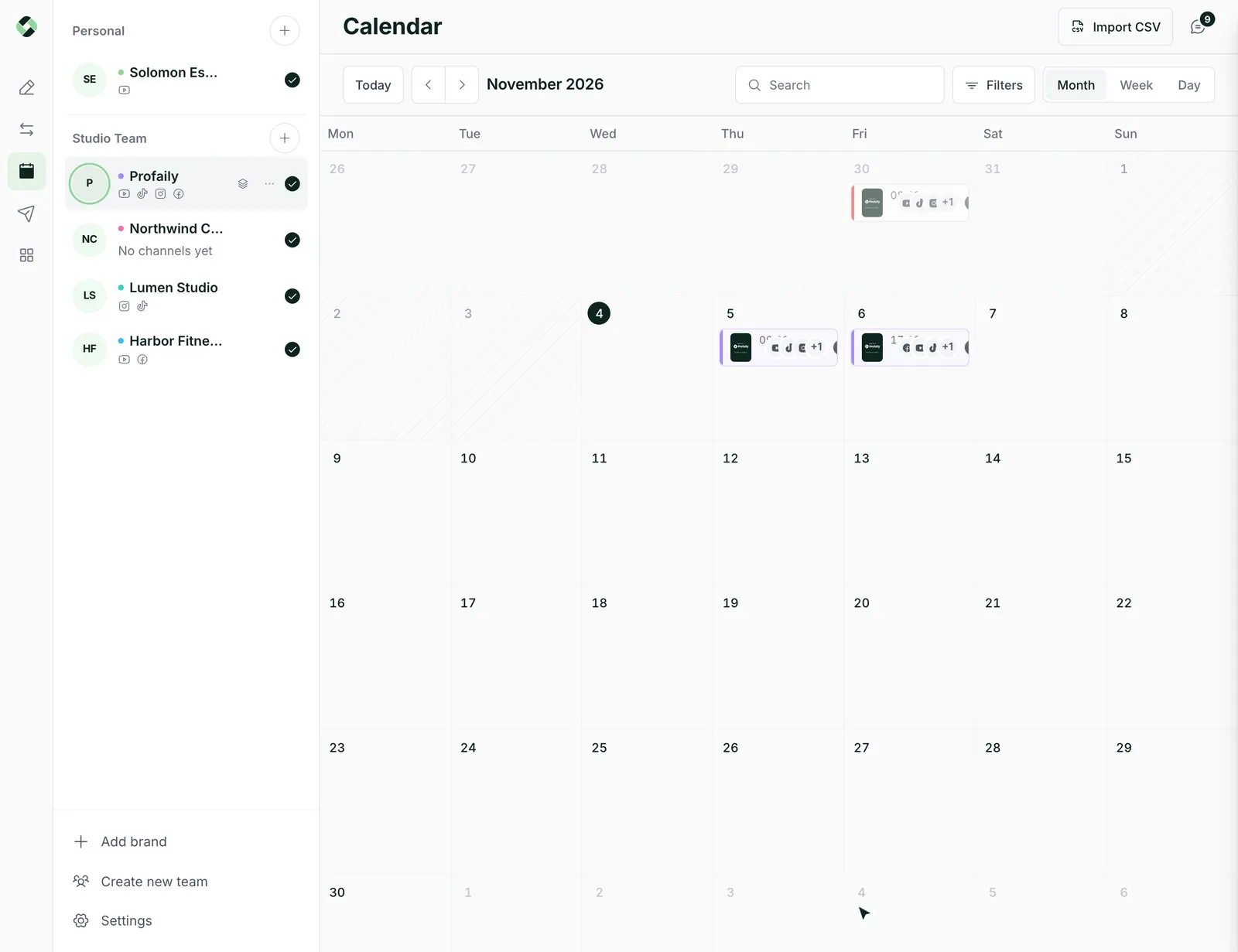
Each client’s channels, schedule and history stay in their own brand, so nothing gets mixed up.
Choose which brands each team member can open, and give them the role that fits the job.
Send a video for review and share a link, so the client can look before it is approved.
See what is going out for everyone this week without opening six accounts.
Add a client, connect their channels, set their posting slots. Switch between brands from the top of the app.
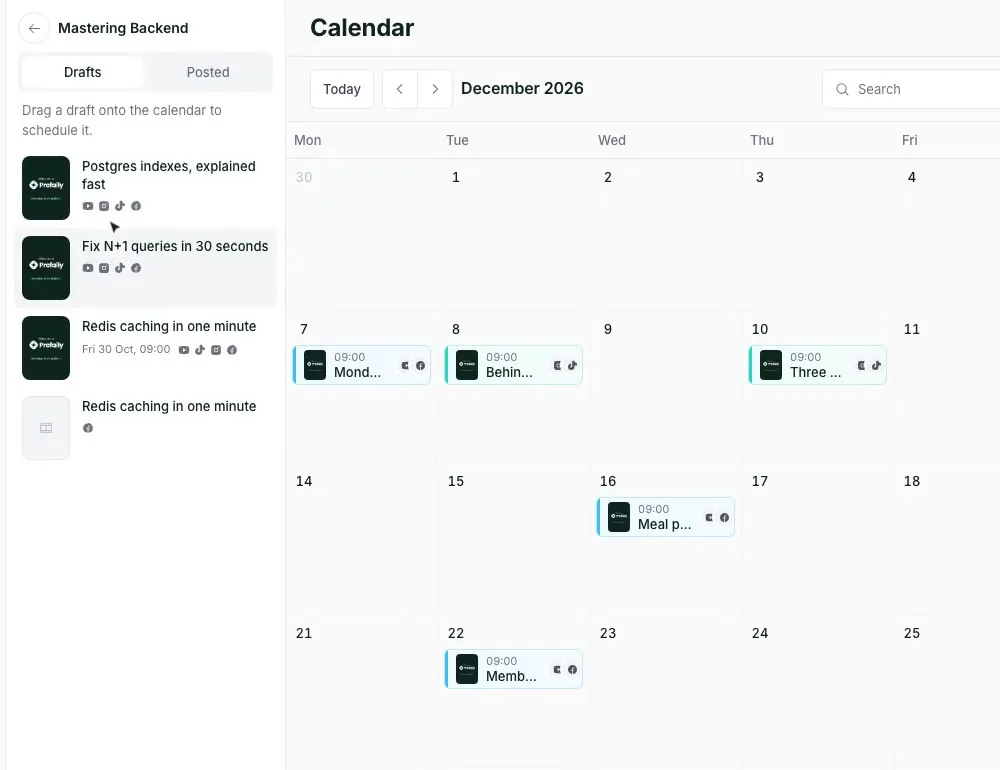
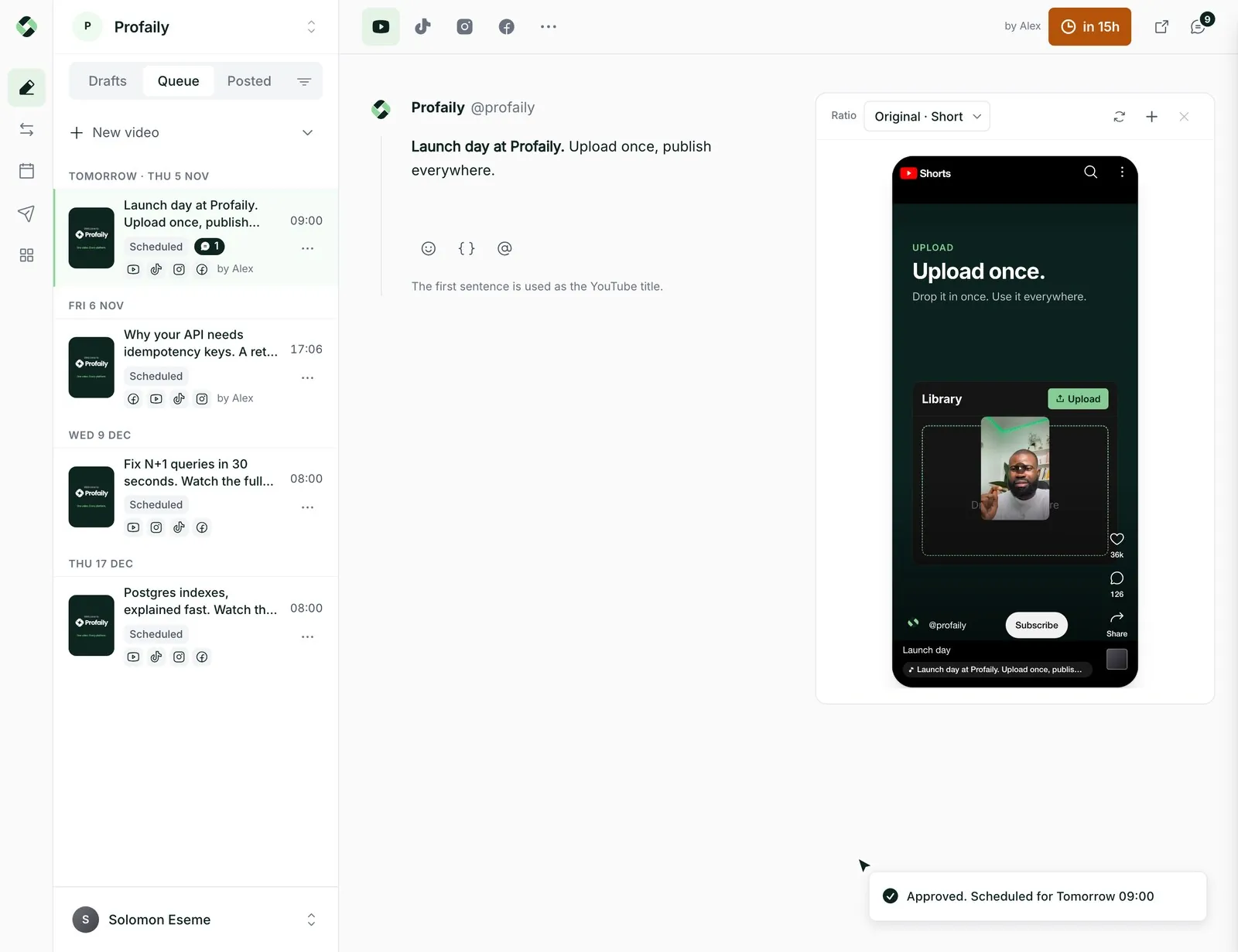
Review happens on the video. Your producer approves it, and a share link lets someone outside the team see it first.
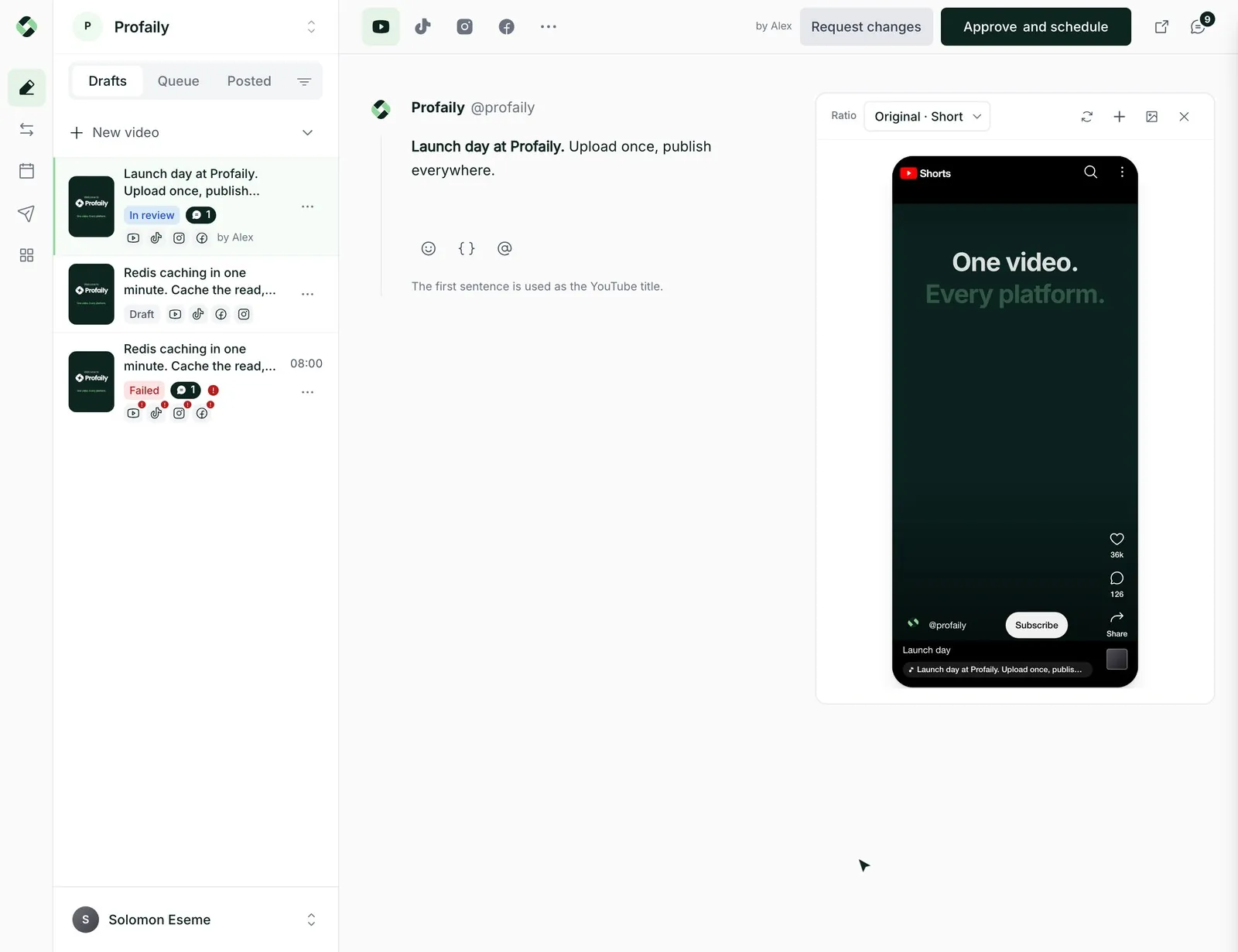
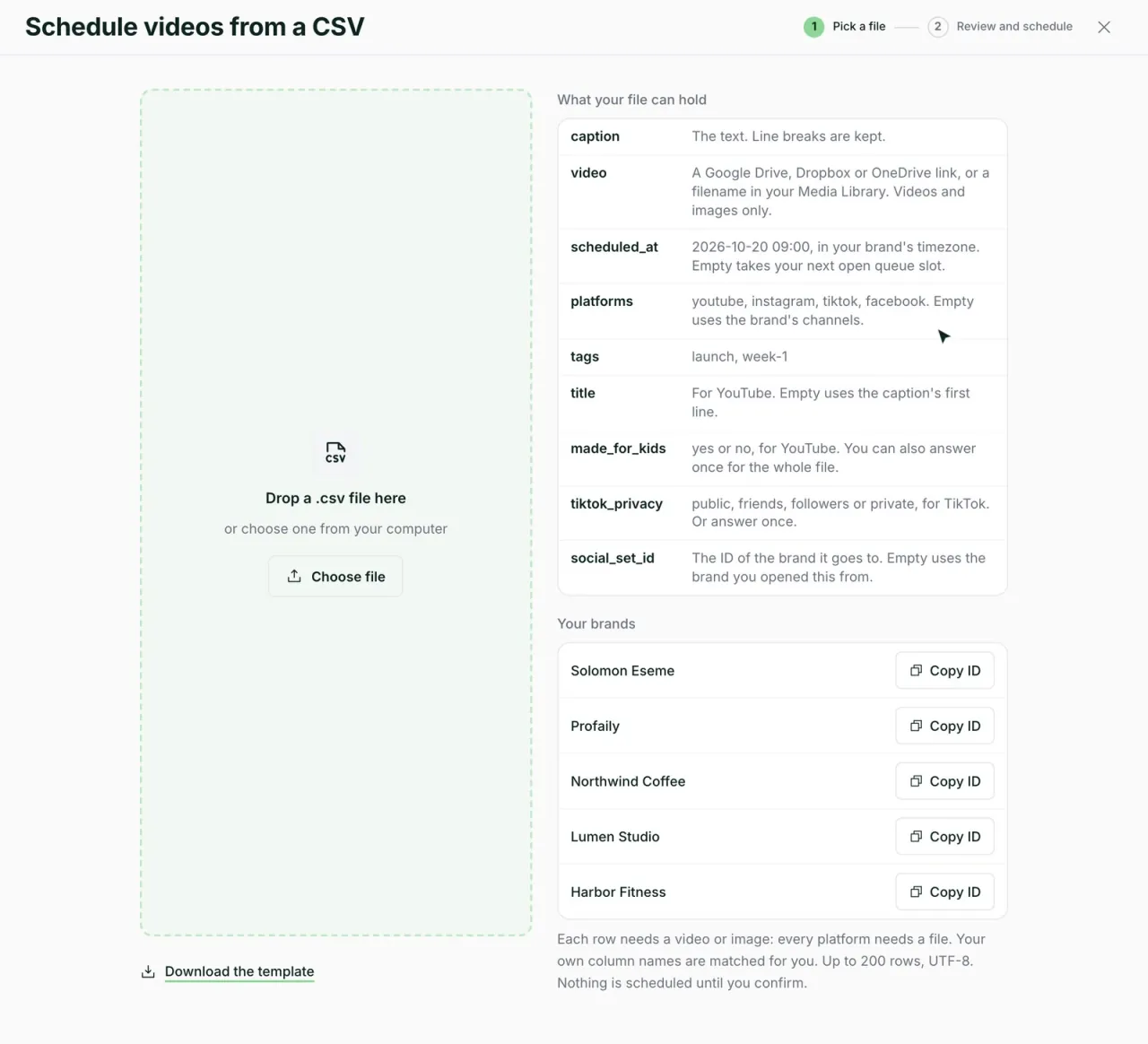
A spreadsheet or a folder of Drive, Dropbox or OneDrive links becomes a schedule you can check and send in one pass.
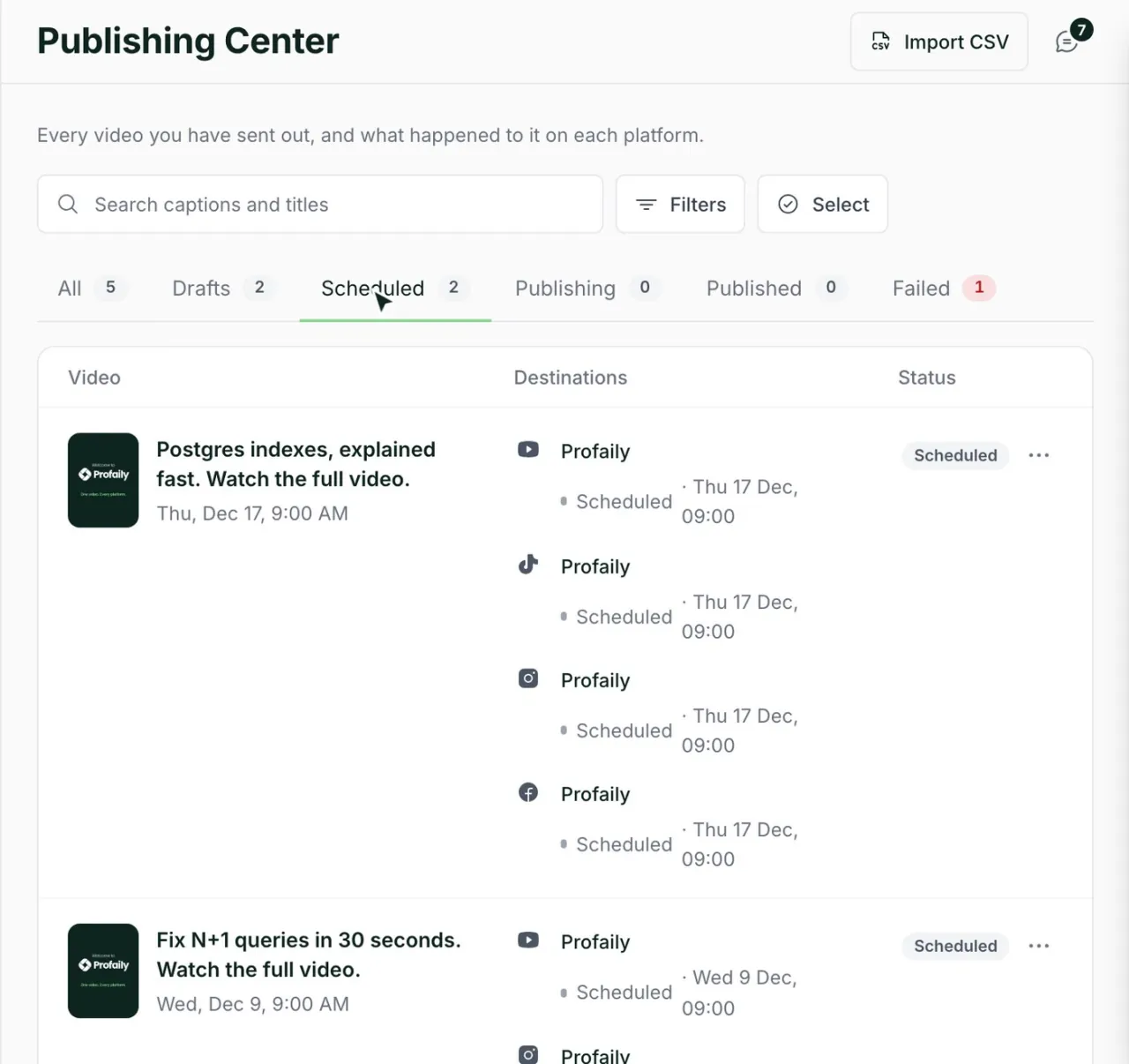
See each video’s status on every channel, with links to the live posts you can send to the client.
Something else? Email support@useprofaily.com.
The Business plan includes three brands, twelve connected channels and five team members. If you manage more, contact us and we will talk through it.
Producers and admins approve. A client can see a video through a share link before you approve it.
Yes. Roles set what someone can do, and you choose which brands each person can open.
Not yet. Contact us if you would like to talk about working together.
Whichever of TikTok, Instagram Reels, YouTube and Facebook they use. Each brand connects its own.
Discover  Profaily
Try Business free for 14 days. Set up your first client brand and see how it feels.